
At Geotelecom, we manage Meta Ads campaigns for companies in a wide variety of industries, and every week the platform surprises us with some new change. When we notice a new feature in the accounts we manage, we share it with the team and test it to see if it delivers real results for our clients.
During 2026, Meta Ads has rolled out numerous updates that directly affect how ads are managed and, above all, their results. If your company invests in Advertising on Facebook and Instagram, these changes affect where your ads are shown, who sees them, and how they are measured.
In this post, we'll tell you about the Top Meta Ads Updates of 2026, so you can implement your strategy for social media advertising at the highest level.
Meta AI: The New Generative AI Assistant
It’s widely accepted that Artificial Intelligence is part of our daily lives, and Meta is no exception. If by 2025 we’re already starting to see new developments in this area, such as automatic optimizations and targeting (the well-known campaigns and optimizations Advantage+), by 2026, AI had taken a giant leap forward with the arrival of its generative AI assistant: Meta AI. A trend that goes far beyond advertising: Agent-based AI is transforming a wide range of industries And digital marketing is no exception.
Meta AI integrates all features related to artificial intelligence, including the following in particular:
Image and Video Creation
With the rollout of Meta's new algorithm, Andromeda, the variety of content and formats Ad targeting is key to ensuring that a campaign performs optimally and reaches the right audience.
The platform allows you to create different pieces using existing resources: create variations of a design, convert static images into videos, or produce more professional-looking videos using predefined templates or by adding opening hooks, audio, duration, and subtitles.
These features allow you to reduce time and resources necessary to generate a variety of advertising content, which is essential for Testing Ad Creatives in Meta Ads and figure out which ones resonate best with your audience.
Of course, if the creative assets are generated by AI, you have to declare it for Comply with the law and ensure transparency regarding AI.

Translation generated by AI
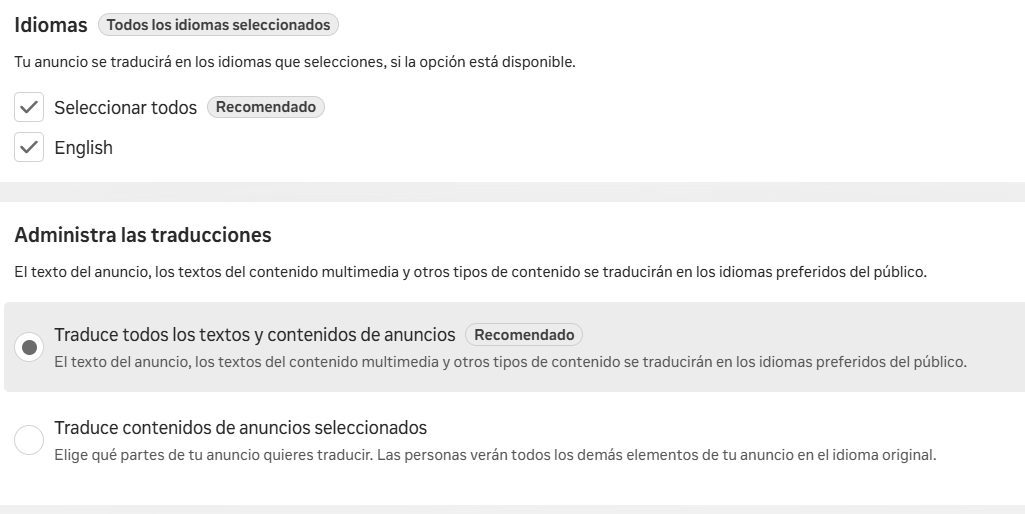
Meta has also made it easier to translate ads. Now we can automatically translate both copy and text incorporated into the creative work.
The main drawback of this tool is that We can't just choose any language, but only those provided by the tool itself, which vary depending on the account and the ad. In addition, automatic translation of ad copy may or may not occur, depending on whether the system detects the text.
Your Analysis Assistant
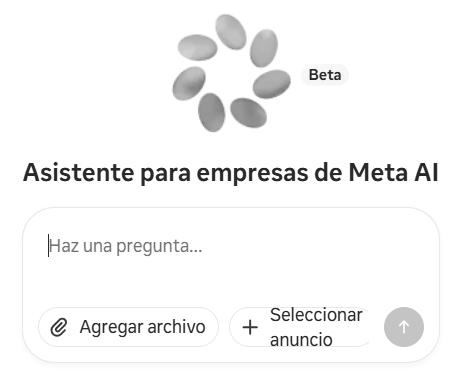
Within the Ads Manager, you'll find the Meta's Business Assistant: an interactive chat that uses AI to help us analyze campaign performance. We can ask it questions about a specific campaign or the account in general, and it provides us with personalized recommendations based on the KPIs that are relevant to us.
It's very useful for receiving alerts or reminders that make it easier to analyze ad accounts—accounts that we would otherwise have to review daily, with all the time that entails.
It also serves as an initial point of contact before reaching out to the support team when we have issues with our account, such as disabled accounts, payment issues, etc.
What's New in Campaign Settings
Location Tracking
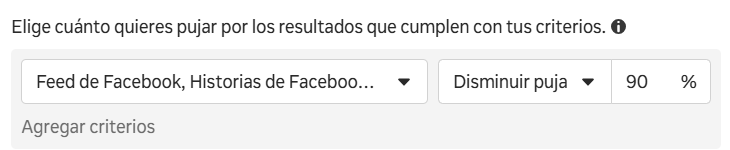
As of late August 2026, Meta is removing the option to exclude locations in their ads. On many of the accounts we manage, we’re already seeing that it’s not possible to manually exclude a platform (Facebook, Audience Network, Messenger, etc.) from sales and lead generation campaigns: the algorithm will decide where to display the ads.
To manage investment on each platform, Meta suggests using the rules of value, which allow us to reduce the bid by up to 90% for a specific location. However, according to the fine print, the platform may still spend part of the budget on that location if it sees fit.
Acquiring New Users
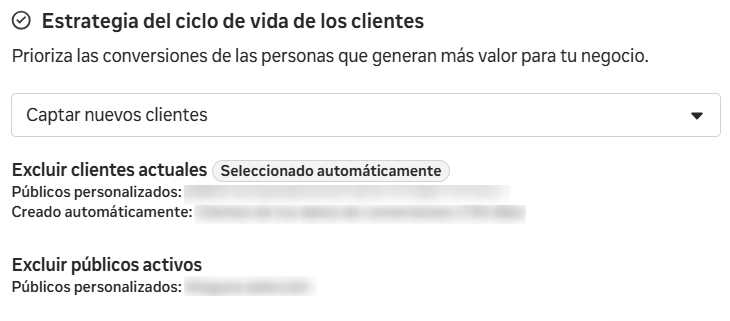
Within the ad groups for sales and lead generation campaigns, we have a new option: the customer lifecycle strategy. Here, you can choose whether the ads are shown to both current customers and new audiences, or only to people who have never interacted with the business or made a purchase from it.
In this way, the company ensures that not investing in the audience that already knows us. If we break it down by audience segments, we can see that the budget is allocated exclusively to new audiences. Previously, we had to exclude existing customers using custom audiences, and even that didn't guarantee that some of the budget wouldn't end up reaching them. Naturally, the costs are higher, but the campaign is more effective for attract new customers.
What's New in Native Forms
Lead generation campaigns using native forms can be very successful, but configure the forms and forward the contact information to each company Until now, this had been one of the platform's areas most in need of improvement. This year, Meta has added features that greatly streamline the process:
- Form Editing. We can finally edit existing forms. After years of having to duplicate the form every time we wanted to modify a field, Meta has unlocked this feature, which prevents us from accumulating dozens of forms in the library and saves us time while making things more convenient.
- Email or mobile notifications. In addition to connecting potential customers to a CRM (Google Sheets or a partner platform), we can now also receive notifications when new contacts come in, whether via email or through the Facebook, WhatsApp, or Messenger apps.
- Appointment scheduling through integrations. Meta has partnered with third-party platforms such as Calendly so that users who fill out their information can book an appointment before leaving the pop-up form. This reduces abandonment and allows the booking to be completed at the moment of higher purchase intent.
Push Notifications in Ads
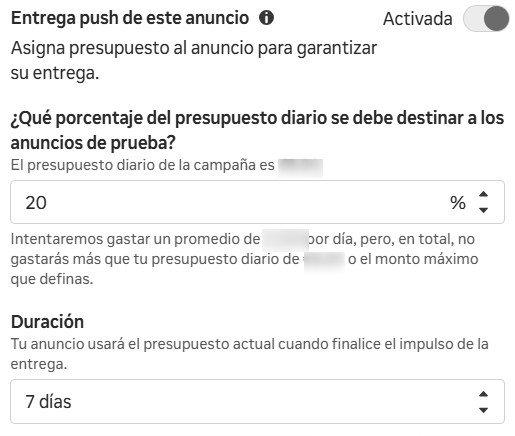
It is common for Meta, in a campaign with multiple ads, to allocate a large portion of the budget to just a few of them, while barely giving the others a chance to be seen. To address this issue, the platform has added the option Push delivery to this ad (or push delivery), which allows you to «force» the algorithm to allocate a certain percentage of the budget to a specific ad for up to 7 days, to see if it actually works.
Based on our experience managing campaigns, We recommend using this feature when you want to give a new ad a boost that we think might work well, or to make sure a short-term promotion appears when we share creatives with different messages.
Changes to the Product Catalog
Catalogs are one of Meta's top-performing products. Let's take a look at the major new features the platform has launched in this area:
- The gradual phase-out of the collection format: In the accounts we manage, we’ve already seen that it’s not possible to use the collection as a standalone format. Now, Meta has incorporated it as a display option within the sequence format and the image format (provided they are accompanied by a product catalog). Thus, the system itself will decide when to display it based on the user and their interaction with this type of format.
- Adding catalog templates: Until now, if we wanted our catalog images to stand out from the competition, we could use frames (only on Facebook) or templates from third-party tools, which came at an extra cost. Now, Meta is gradually rolling out the option to create these templates directly from Sales Manager. You can upload images, remove the white background from the product, add catalog information such as price, title, or brand, and adapt it to all aspect ratios. This is a very valuable feature for any advertiser, and for free.
- Product statistics: Another feature that Meta is beginning to roll out is one related to sales KPIs for products in the catalog. It was one of the features most requested by agencies and advertisers: the ability to view the sales, revenue, CPA, and ROAS attributed to each product. This year, we can finally view this data in the "Product Statistics" section of the ad reports and also within the campaigns themselves. This new feature is a huge help in optimizing catalog campaigns.
These changes are especially useful during periods of high demand, when the catalog becomes a key component of any Black Friday strategy.
Latest News on the Hearings
Ad-Level Segmentation
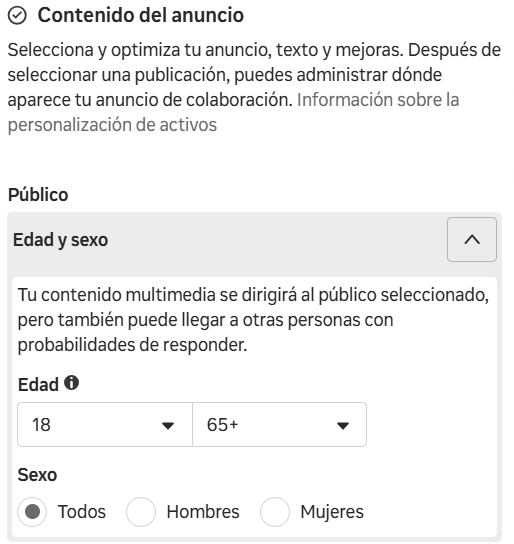
Given Meta's shift toward automation—especially in target audience segmentation, where it recommends enabling Advantage+ segmentation—it's interesting to see a new feature that allows us to segment by ad.
With this update, we can choose the audience for each ad. This makes it possible to set different age and gender criteria for each ad. It’s another step toward simplifying campaigns and consolidating the budget.
Broader retention of buying audiences
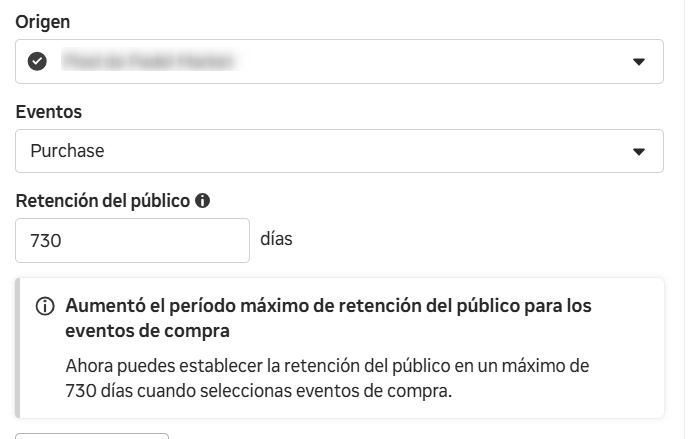
Meta has extended the maximum retention window for custom audiences for purchase events from 180 days (six months) to 730 days (two years). This allows you to exclude current customers more precisely, target broader remarketing audiences to avoid ad limitations, and create more accurate lookalike audiences by leveraging more data.
For now, the expansion only affects purchase events tracked via the pixel; all other custom audiences remain limited to 180 days.
Simplifying Video Engagement Audiences
Another new feature that affects audience creation has to do with video engagement audiences. Previously, we could choose from:
- 3-second video views.
- 10-second video views.
- ThruPlay (15 seconds or the full video).
- Playback percentage: 25%, 50%, 75%, and 95%.
Now we see these three options:
- All viewers of the video (at least 3 seconds).
- Active viewers of the video (a significant portion, though Meta does not specify how much).
- Very active viewers of the video (most or all of the video, again without a specific percentage).
With this simplification, it seems that we get a step backward in understanding how users behave when they interact with a brand's videos, because we no longer know exactly which part of the video is being played.
New Ways to Analyze Data
Change in Click Attribution: Introducing "Engage-Through"
Starting in March 2026, Meta began to change its allocation systemnumber of clicks. Until then, the «clicks» metric included «likes,» comments, shares, saves, and clicks on the image or profile, in addition to clicks on the link.
Now, all of these interactions are tracked using a new type of attribution called engage-through (in Spanish, one-day workshop).
This affects conversion attribution: it's common to have seen a a decline in conversions attributed per click in favor of this new attribution method. It is also possible that the CTR (down) and the CPC (up) have been affected.
To understand this clearly, let's review the three types of attribution that currently exist:
- 7 days after clicking: When a user clicks on the ad link and is taken to the website, a 7-day window opens for attributing the purchase. If the user returns 4 days later and makes a purchase—even if they do so through another channel—Meta attributes the sale to the click made 7 days earlier.
- 1 day after viewing: If the user simply views the ad and does not interact with it in any way, only one impression has been recorded. If the user makes a purchase within the following 24 hours, Meta attributes the sale to 1 day after the ad was viewed.
- 1 day after interaction: Here's what's new. It is triggered when a user interacts with the ad (likes it, comments on it, saves it, shares it, clicks to view the Facebook or Instagram profile, or watches at least 5 seconds of a video), but does NOT click on the link. If the user makes a purchase within the following 24 hours, the sale is attributed to 1 day after interaction. Previously, these actions were attributed to 7 days after a click.
What does this change mean for your business? Basically, fewer post-click conversions will be attributed, but these will, to a greater extent, higher-quality conversions, because they come from users who arrived at the website after clicking on the ad link. However, we'll only see this if we break down the data by attribution type: in the overall conversion metric, we shouldn't notice a decline.
Comparison with Similar Businesses
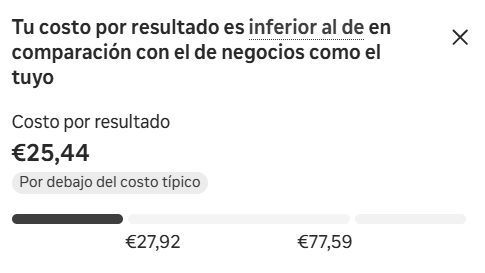
In true GA4 style, Meta has added a brief analysis that compares cost-per-result metrics with those of similar businesses. The metric is highlighted in green or red and indicates whether it is above or below the typical cost for those businesses.
How is it calculated? According to Meta, «This percentage compares your cost per result for the selected time period with that of similar businesses over the past 30 days.». It is a estimated metric, still under development And, for now, we don't know how it identifies which businesses are similar to each advertiser.
In addition to the cost per result, when you open the drop-down menu, it shows you how the CTR, CPM, and CPC compared to those similar advertisers, and the Meta AI assistant provides us with recommendations.
How to Take Advantage of the New Features in Meta Ads for Your Business
As you can see, 2026 has been a year full of Opportunities for advertising on paid social media. Staying up to date on the latest developments on these platforms is the first step toward implementing the ones that can improve campaign performance and, above all, add value to your business.
At Geotelecom We take care of the Campaign Management on Meta Ads so your company can make the most of these changes. Are your campaigns already taking advantage of them? Tell us about your situation, and we'll analyze it with you.


